Add Domain Name to Digital Ocean
You actually don't need to add your domain name to digital ocean, but it's will be easier to manage domain and server here, here is the step by step guide to add domain name to digital ocean:
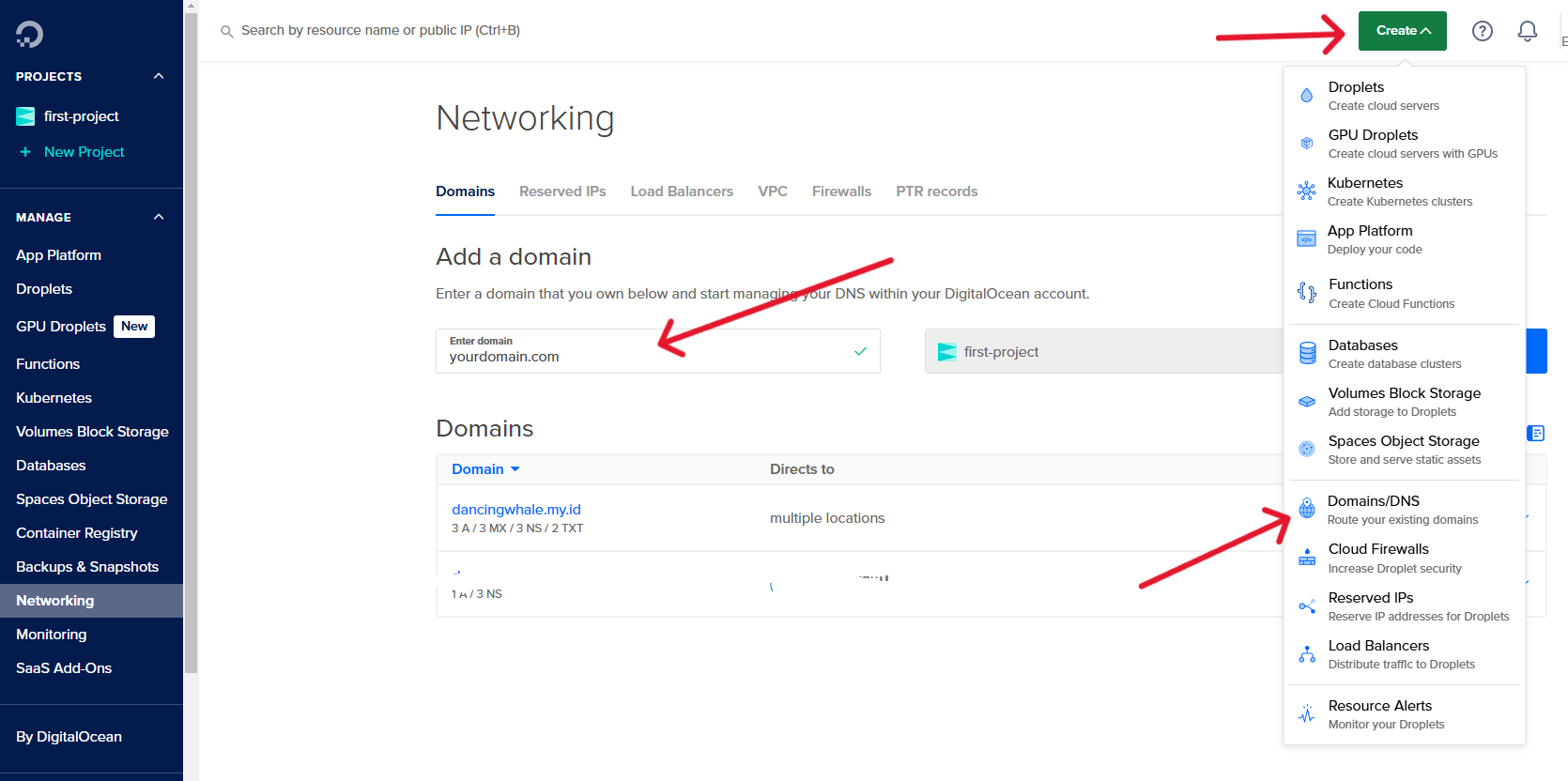
Step No 1: Add Domain Name to Digital Ocean
- Login to Digital Ocean
- Click on
Createat top Right of the page - Click on
Domains/DNS - Enter your domain name, and Choose your project, create one if you don't have any, then click on
Add Domain
Step No 2: Add Name Servers to Digital Ocean
Depending on your domain registrar, you may need to add name servers to your domain.
In here i use Domainesia as my domain registrar, so i need to add digital ocean name servers to my domain.
fill this name servers to your domain registrar:
ns1.digitalocean.com
ns2.digitalocean.com
ns3.digitalocean.com
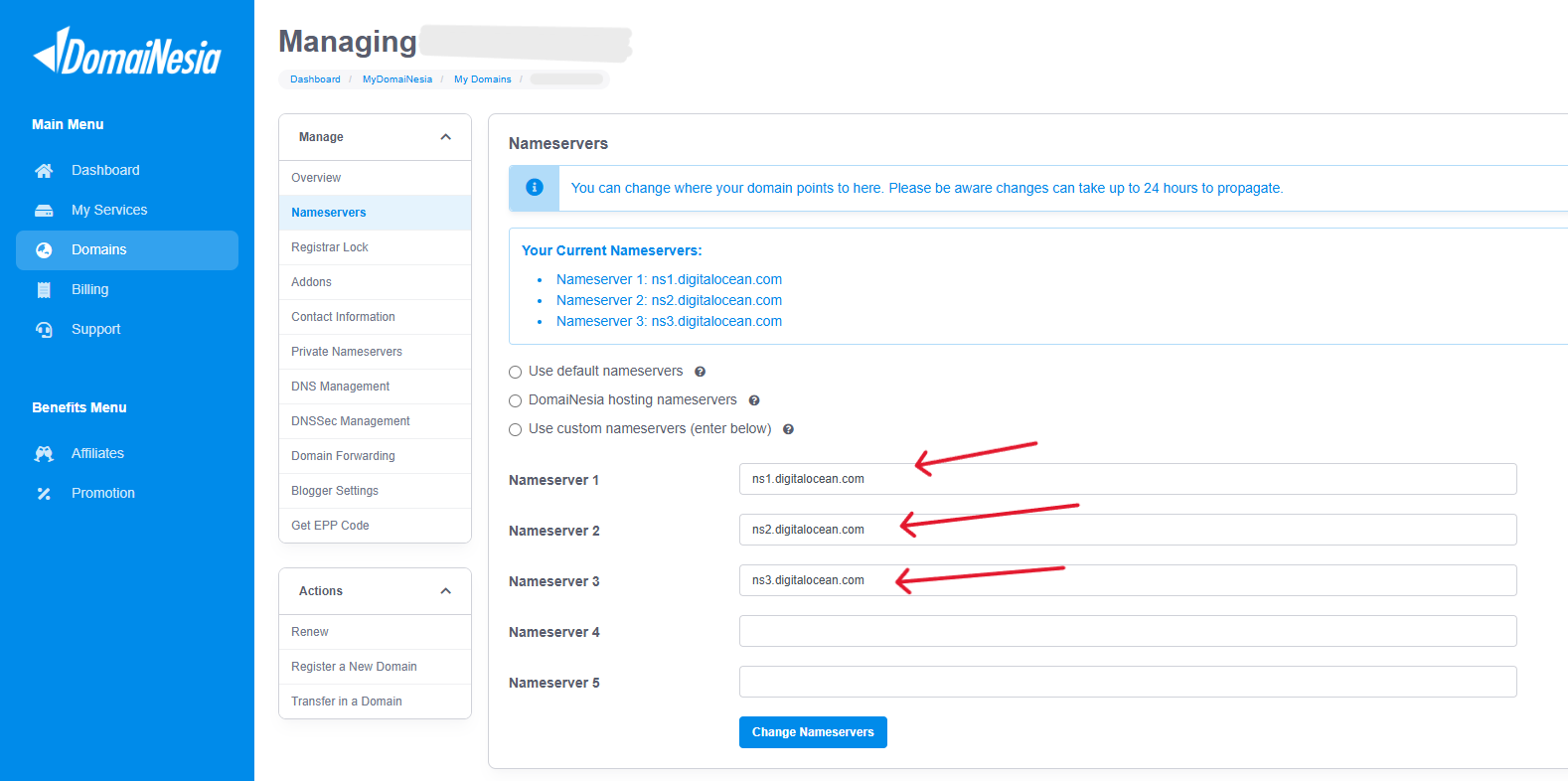
- That's it for this step, we will back to this page, to route our domain to the server that we are about to create.
info
We will back to this web page later, to add our droplet ip address to the domain.
Next we will create a droplet server, that will be our streaming server.